Bulk order volume
Use the yards on your supplier quote. If you only measured beds, first calculate the material volume with the mulch calculator.
Mulch calculator Pickup loads
Know the bulk volume? Check both the weight and space limits before planning pickup trips.
For a bagged order instead of loose bulk mulch, use the mulch bag weight calculator with the weight of your own matching bag and its order count. To compare a pickup-bed footprint with the remaining payload in one plan, use the mulch pickup bag capacity calculator. Comparing delivery charges with a rental pickup plan? Carry the trip count into the delivery vs self-haul cost worksheet.
Planning hydraulically applied fiber instead of loose mulch pickup? The hydromulch water and load calculator combines the project rate, current fiber-to-water pair and separate per-load limits.
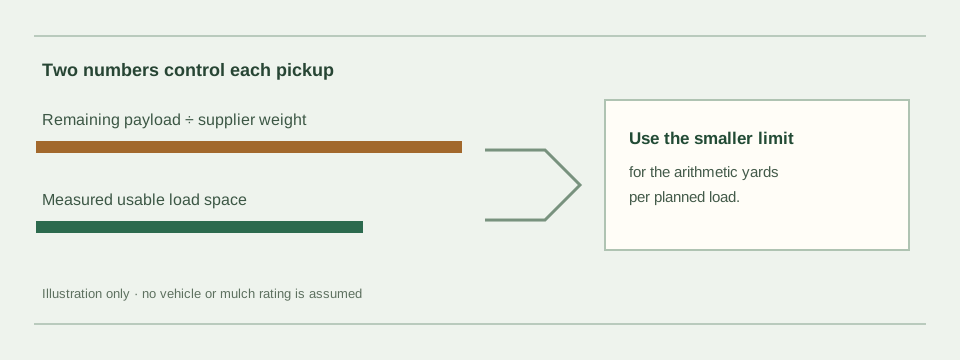
The calculator first converts available payload into a volume using the weight per cubic yard you enter. It compares that with your usable load space. The smaller cubic-yard figure limits one planned load; the total order divided by that figure, rounded up, is the minimum arithmetic number of trips. An equal split is shown for checking, not as loading instructions.
Weight-limited yards = remaining payload ÷ supplier lb/yd³
Volume per load = smaller of weight-limited yards and usable yd³
Trips = ceiling(total yd³ ÷ volume per load)
Do not rely on generic dry mulch averages for a wet or different material. If your supplier cannot give a relevant weight, this tool will not guess it.
Use the yards on your supplier quote. If you only measured beds, first calculate the material volume with the mulch calculator.
Ask the supplier for pounds per cubic yard for the material and condition being loaded. If it is quoted in another unit, convert it before using this US-unit tool.
Use the rating and instructions for your specific vehicle or trailer, then account for occupants, tools and other cargo. Towing adds separate constraints this page cannot assess.
Measure or confirm the actual cubic yards available to loose mulch, not the outside dimensions of a truck or trailer.
Ford's vehicle-loading guidance counts people, cargo, accessories and towing components as added weight. Check the ratings and instructions for your own vehicle or trailer; this calculator supplies no rating.
Enter the cubic yards you plan to pick up, the supplier's current pounds per cubic yard, your remaining cargo payload and usable load space. The calculator divides the total volume by the smaller of the weight-based and space-based volume limits, then rounds the arithmetic trip count up. It does not certify that a load is safe.
There is no weight preset on this page. Ask the supplier for a current value for the exact mulch you will collect; this calculator cannot determine that value from volume alone.
Enter only the cargo payload remaining for this mulch after accounting for people, tools, accessories and any other load. Check the rating and loading instructions for your specific vehicle or trailer; this calculator does not check axle, towing, tongue-weight or load-distribution limits.
A load can fill the measured usable space before it reaches the entered payload figure. The calculator applies whichever of those two entered volume limits is smaller and shows both limits so you can check the arithmetic.
Measure the beds in the mulch calculator; come back with its cubic-yard result and your supplier's current weight figure.