1. Measure every area
Name each bed or zone, choose its shape and enter the real dimensions plus the finished material depth.
THE LANDSCAPE WORKBENCH
Mulch estimator: use bed dimensions or square feet for mulch, topsoil, compost or gravel; estimate bags, bulk volume and supplier costs.
Free calculator · No account · No app · AI optional
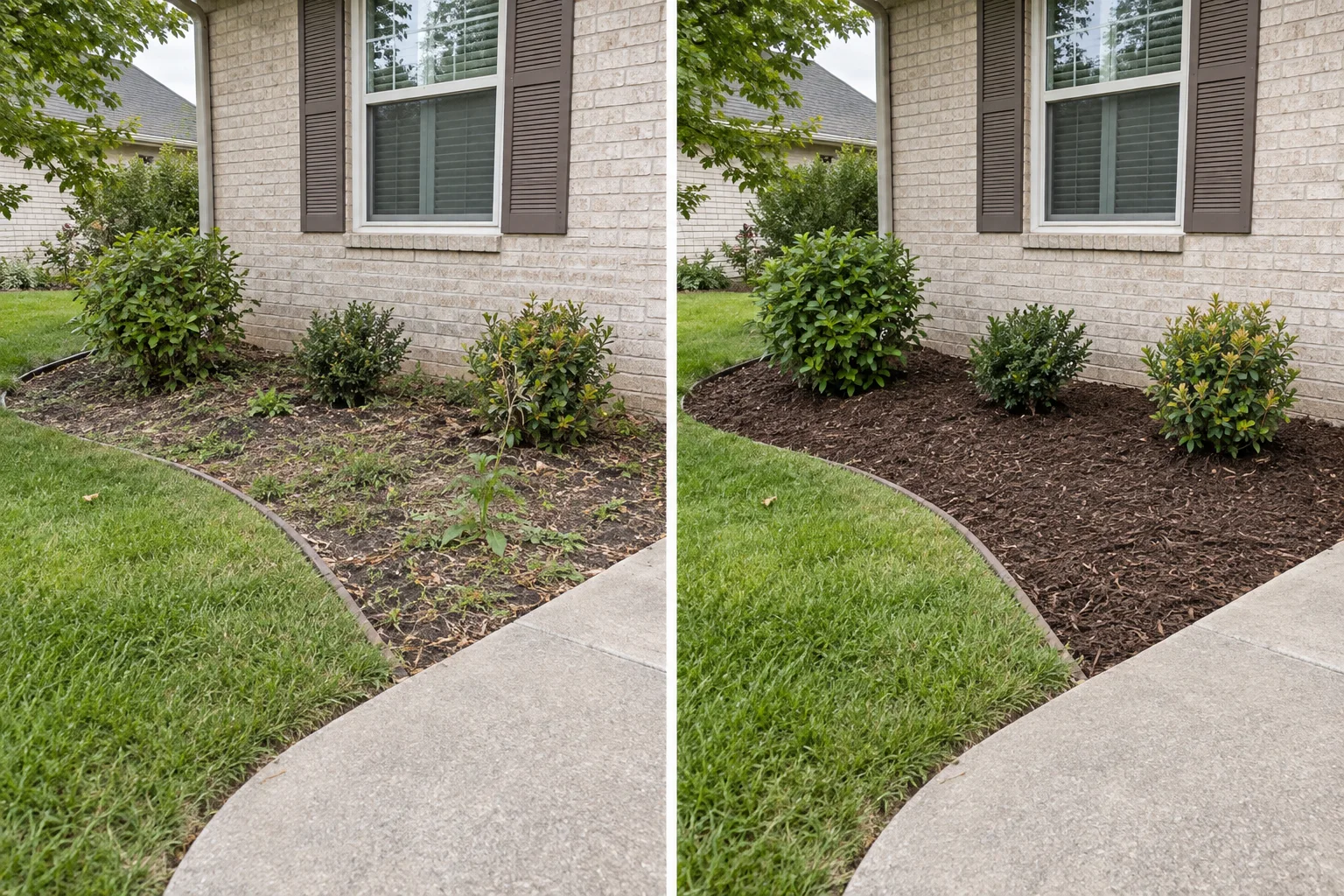
2 ft³ bag: about 12 ft² at 2 in or 8 ft² at 3 in. At 100 ft² and 3 in, plan 13 bags or 0.93 yd³, before allowance.
For an irregular bed, split it into shapes or choose “Known area”. Depth is the new material to add.
Totals include only the material and fees you enter. Tax and labor are excluded. Currency changes the label; it does not convert your prices.
Copy your measured inputs into a text or image model. The brief is prepared here; no model is called. Read the ChatGPT mulch planning prompt and AI image brief guide.
From quantity to purchase
Use the same worksheet for mulch, topsoil, compost or stone and gravel. Each result remains tied to dimensions, product information and prices that you enter.
Name each bed or zone, choose its shape and enter the real dimensions plus the finished material depth.
Choose the material, then copy the bag volume, bulk unit, order increment or density from the product label or supplier quote.
Review whole bags beside the rounded bulk quantity, then add delivery or pickup fees and your local prices.
Clear inputs, clear math
Writing a garden guide or helping customers order mulch? Add this free mulch calculator to your website with a compact, browser-only worksheet.
Choose the material category, enter every area you want to cover, and set the depth for each area. You can use feet and inches or meters and centimeters. The result combines all areas and shows cubic yards, cubic feet, cubic meters, bags, tons when a weight-per-yard value is supplied, and an optional cost estimate based on your own price. Bulk supplier minimums, increments and prices can use cubic yards or cubic meters.
These are geometric estimates based on your entries, not a supplier quote. Empty prices and delivery fees remain unknown.
Rectangles use length × width. Circles use π × (diameter ÷ 2)². For a triangle, enter its base and perpendicular height, or switch to three measured sides when no height is available. The three-side method uses Heron’s formula and checks that the sides can form a triangle. Known area accepts square feet or square meters. Each area has its own depth.
The 3-inch example is an editable starting value, not a recommendation for every material or plant. Enter the additional depth required for your project.
One cubic yard is 27 cubic feet. One foot is 0.3048 meters and one inch is 2.54 centimeters. Bag quantity is rounded up to whole bags for purchasing. Tons require your material’s own tons-per-cubic-yard value.
Worked example
A 10 ft × 10 ft bed at 3 inches deep is 100 square feet × 0.25 ft = 25 cubic feet, or 0.93 cubic yards. With 2 cubic-foot bags, that is 12.5 bag-equivalents, so the purchase quantity rounds up to 13 bags. Add your own allowance and supplier increment when the job needs them.
Common questions
Choose mulch, topsoil, compost or stone and gravel. The calculator uses the real dimensions and added depth you enter, then reports volume and bag equivalents. Use the depth, bag label, density and supplier rules for the specific product you plan to buy.
No. A normal photo does not provide reliable scale, depth or hidden site conditions. Use the AI garden design tool only to explore a visual direction, then measure the real areas here before ordering mulch, soil, compost or gravel.
Measure each bed using a supported shape or enter a known area, then enter the additional depth. For this mulch estimator, cubic feet = area × depth ÷ 12 when area is ft² and depth is inches; cubic yards = cubic feet ÷ 27. Enter the bag-label volume or supplier’s bulk unit; rounding follows only the allowance and order rules you choose. The worked example above shows one measured bed.
Coverage depends on bag volume and depth. A 2 ft³ bag covers about 12 ft² at 2 in, 8 ft² at 3 in or 6 ft² at 4 in; a 3 ft³ bag covers about 18 ft², 12 ft² or 9 ft² at those same depths. These values are before any project allowance. See the bag coverage chart or enter your measured area and depth in the calculator below.
Yes. Switch an area to Metric and enter meters plus centimeters. You can mix metric and imperial areas in the same estimate.
Enter the bag and bulk prices plus each delivery or pickup fee; the calculator uses whole bags and your supplier’s minimum and order increment. For illustration in USD, 100 ft² at 3 in with a 10% allowance needs 14 two-cubic-foot bags. At $5 per bag plus $10 delivery, bags total $80. A 2 yd³ bulk minimum at $40 per yard plus $25 delivery totals $105. These are example inputs, not market rates; replace them with written local quotes. A blank price or fee remains unknown.
Keep areas separate and compare local supplier quotes. Use installation cost estimates to add labor, or the project planner to record delivery dates and an installation checklist. Review the material, site access, tax, labor and your pricing terms before sending a client quote.
One cubic yard is 27 cubic feet, equal to 13.5 two-cubic-foot bags. Buy 14 whole bags to cover that volume, before adding any project allowance. See the bag coverage chart for other sizes.